
Claude Cowork vs Claude Code: Which AI Agent Should You Use?
By Learnia Team
Claude Cowork vs Claude Code: Which AI Agent Should You Use?
This article is written in English. Our training modules are available in multiple languages.
Anthropic now offers two agentic AI tools that can autonomously execute tasks on your computer: Claude Cowork and Claude Code. Both are powerful, but they serve different users and workflows.
This guide helps you understand the differences and choose the right tool for your needs.
📚 Deep Dives: For comprehensive guides on each tool, see:
Quick Summary: Cowork vs Code
| Aspect | Claude Cowork | Claude Code |
|---|---|---|
| Interface | Desktop GUI (point-and-click) | Terminal (command line) |
| Target User | Knowledge workers, researchers, admins | Software developers |
| Primary Tasks | Documents, spreadsheets, file organization | Code, Git, debugging, DevOps |
| Technical Skill | Low (no coding required) | High (terminal proficiency) |
| Platform | macOS only (desktop app) | macOS, Linux, Windows (terminal) |
| Best For | Office workflows, research, content | Software development, automation |
TL;DR: If you write code → Claude Code. If you process documents → Claude Cowork.
Master AI Prompting — €20 One-Time
What is Claude Cowork?
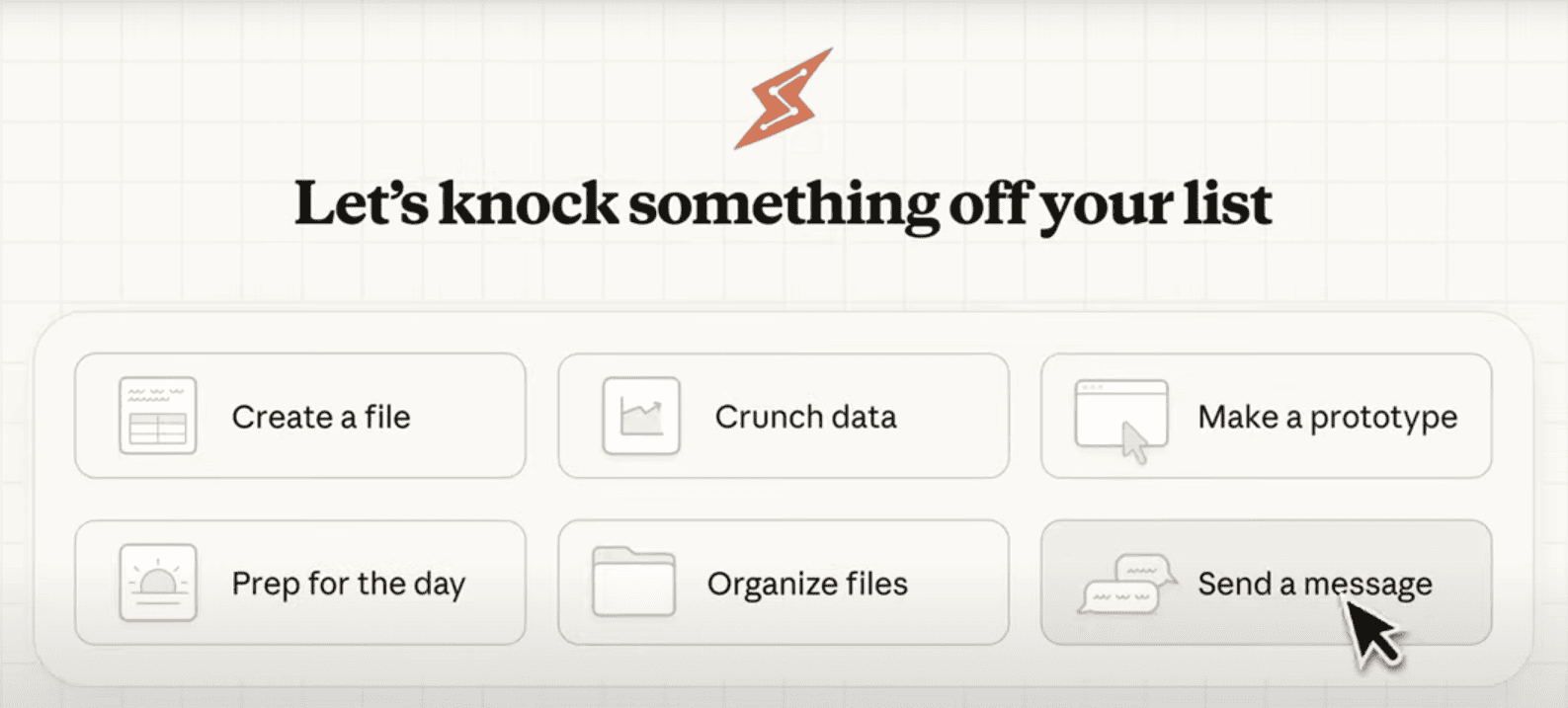 Claude Cowork's visual interface with task templates and progress tracking
Claude Cowork is Anthropic's agentic AI for knowledge workers. It runs as a desktop application with a visual interface where you:
- →Grant access to specific folders
- →Describe what you want accomplished
- →Review Claude's plan
- →Let it execute autonomously
Cowork Strengths
- →✅ No coding required — Natural language instructions only
- →✅ Visual progress tracking — See exactly what Claude is doing
- →✅ Document processing — Word, Excel, PowerPoint, PDFs, images
- →✅ OCR capabilities — Extract text from scanned documents
- →✅ Browser automation — Fill forms, scrape data (via Claude in Chrome)
- →✅ Sub-agent parallelization — Process hundreds of files simultaneously
Cowork Limitations
- →❌ macOS only — No Windows or Linux support yet
- →❌ No Git integration — Can't manage repositories
- →❌ No IDE connection — Doesn't integrate with VS Code, JetBrains
- →❌ No code execution — Can't run tests or build projects
Ideal Cowork User
"I have 200 PDFs to analyze and need a summary spreadsheet. I don't write code."
Typical roles: Researchers, analysts, administrators, consultants, project managers, content creators.
What is Claude Code?
# Start Claude Code in any project
cd your-project
claude
Claude Code is Anthropic's agentic AI for software developers. It runs in your terminal and can:
- →Understand your entire codebase
- →Write, edit, and refactor code
- →Run tests and fix bugs
- →Manage Git operations (commits, branches, PRs)
- →Execute shell commands
Code Strengths
- →✅ Full codebase awareness — Understands project structure and patterns
- →✅ Git integration — Commits, branches, pull requests
- →✅ Test execution — Run tests and iterate on failures
- →✅ IDE agnostic — Works with any editor (VS Code, Vim, JetBrains)
- →✅ Multi-platform — macOS, Linux, and Windows
- →✅ CI/CD integration — Use in GitHub Actions, automation pipelines
Code Limitations
- →❌ Terminal required — Command line proficiency needed
- →❌ Developer-focused — Not designed for office documents
- →❌ No visual interface — Text-only interaction
- →❌ Steeper learning curve — Requires understanding of dev workflows
Ideal Claude Code User
"I need to refactor authentication across 50 files and update all the tests."
Typical roles: Software engineers, DevOps engineers, full-stack developers, technical leads.
Head-to-Head Comparison
Interface & Accessibility
| Feature | Cowork | Code |
|---|---|---|
| Launch method | Click desktop app | Run claude in terminal |
| Learning curve | 5 minutes | 30+ minutes |
| Visual feedback | Rich GUI with progress bars | Text output in terminal |
| Task templates | Yes (expense reports, research, etc.) | No (freeform prompts) |
| Approval workflow | Visual approve/reject buttons | Text-based y/n prompts |
Winner: Cowork for accessibility, Code for developer efficiency.
File Operations
| Operation | Cowork | Code |
|---|---|---|
| Read documents (Word, Excel, PDF) | ✅ Native | ⚠️ Limited |
| OCR (images to text) | ✅ Built-in | ❌ No |
| Create formatted documents | ✅ Word, Excel, PPT | ❌ No |
| Edit source code | ⚠️ Basic | ✅ Optimized |
| Batch file renaming | ✅ Yes | ✅ Yes |
| Duplicate detection | ✅ Yes | ⚠️ Manual |
Winner: Cowork for documents, Code for source files.
Development Capabilities
| Capability | Cowork | Code |
|---|---|---|
| Git operations | ❌ No | ✅ Full |
| Run tests | ❌ No | ✅ Yes |
| Debug code | ❌ No | ✅ Yes |
| Install dependencies | ❌ No | ✅ Yes |
| Refactoring | ❌ No | ✅ Yes |
| Create PRs | ❌ No | ✅ Yes |
Winner: Code by far for any development work.
Automation & Integration
| Feature | Cowork | Code |
|---|---|---|
| Browser automation | ✅ Claude in Chrome | ❌ No |
| MCP connectors | ✅ Yes | ✅ Yes |
| Headless/CI mode | ❌ No | ✅ Yes |
| API access | ❌ No | ✅ Yes |
| Scheduled tasks | ❌ No | ✅ Via cron/scripts |
Winner: Code for automation, Cowork for browser tasks.
Same Technology, Different Focus
Both tools share the same underlying architecture:
- →Same AI model: Claude Sonnet (claude-sonnet-4-5-20250929)
- →Same virtualization: Apple VZVirtualMachine sandbox
- →Same permission model: Explicit folder/tool authorization
- →Same sub-agent system: Parallel task execution
The difference is the interface layer:
| Layer | Cowork | Code |
|---|---|---|
| AI Engine | Claude AI (Sonnet) | Claude AI (Sonnet) |
| Execution | Agentic Engine (VZVirtualMachine, Sub-agents) | Agentic Engine (VZVirtualMachine, Sub-agents) |
| Interface | Desktop GUI App | CLI Terminal |
| Target Users | Knowledge Workers | Developers |
Decision Framework
Choose Claude Cowork If:
- →✅ You don't write code
- →✅ You process documents, spreadsheets, PDFs
- →✅ You prefer visual interfaces
- →✅ You need browser automation (forms, scraping)
- →✅ You're on macOS
- →✅ You want pre-built task templates
Choose Claude Code If:
- →✅ You write software professionally
- →✅ You work with Git repositories
- →✅ You need test execution and debugging
- →✅ You're comfortable in the terminal
- →✅ You need CI/CD integration
- →✅ You want multi-platform support
Use Both If:
Many professionals use both tools for different tasks:
- →Morning: Use Code to ship a feature, write tests, create PR
- →Afternoon: Use Cowork to process expense receipts and generate reports
- →Evening: Use Code for side project, Cowork to organize research papers
Both are included with Claude Pro ($17/month annual) and Claude Max ($100-200/month).
Real-World Scenarios
Scenario 1: Analyze Sales Data
Task: Extract key metrics from 50 sales reports (PDFs) and create a summary spreadsheet.
| Tool | Approach | Time |
|---|---|---|
| Cowork ✅ | Point at folder, describe output format, approve plan | ~10 min |
| Code ❌ | Would need to write Python script, install PDF libraries | ~45 min |
Winner: Cowork — designed for this exact use case.
Scenario 2: Refactor Authentication System
Task: Migrate from session-based to JWT authentication across a Node.js codebase.
| Tool | Approach | Time |
|---|---|---|
| Cowork ❌ | Can't understand codebase, run tests, or create PRs | N/A |
| Code ✅ | Analyze codebase, modify files, run tests, commit | ~30 min |
Winner: Code — this is core functionality.
Scenario 3: Weekly Competitive Intelligence
Task: Monitor 5 competitor websites for pricing changes, create weekly report.
| Tool | Approach | Time |
|---|---|---|
| Cowork ✅ | Use Claude in Chrome to scrape, generate Excel report | ~15 min |
| Code ⚠️ | Could write scraper, but overkill for this task | ~60 min |
Winner: Cowork — browser automation is built-in.
Scenario 4: Set Up New React Project
Task: Initialize React project with TypeScript, testing, linting, and CI pipeline.
| Tool | Approach | Time |
|---|---|---|
| Cowork ❌ | Can't run npm, configure build tools, or set up CI | N/A |
| Code ✅ | Run commands, create configs, set up GitHub Actions | ~15 min |
Winner: Code — project scaffolding is core strength.
FAQ
Can I switch between Cowork and Code?
Yes. They're separate tools that don't share sessions, but you can use both on the same computer with the same Claude subscription.
Do they share rate limits?
Yes. Both Cowork and Code tasks count toward your overall Claude usage limits (shared with Claude Chat).
Which has better security?
Both use the same permission model. You explicitly authorize folders and capabilities. The security architecture is identical.
Will Cowork get coding features?
Unlikely. Anthropic positions them as complementary tools for different audiences. Cowork focuses on accessibility; Code focuses on developer power.
Will Code get a GUI?
There's a VS Code extension (Claude Code in VS Code) that adds some visual elements, but the core experience remains terminal-based.
Conclusion
Claude Cowork and Claude Code are two expressions of the same powerful agentic AI—optimized for different users:
| You Are... | Use This |
|---|---|
| Developer, DevOps, Engineer | Claude Code |
| Researcher, Analyst, Admin | Claude Cowork |
| Technical PM, Full-stack | Both |
The good news: both are included with your Claude Pro or Max subscription. Try both and use whichever fits each task.
🚀 Master AI Agents
Want to become proficient with Claude's agentic tools? Our training modules cover prompt engineering, safety best practices, and advanced automation workflows.
📚 Explore Training Modules | Start Module 0
Related Articles:
- →Claude Cowork: Complete Technical Guide 2026
- →What Is Claude Code? Anthropic's Agentic Terminal Coding Tool
- →Claude Cowork: Pricing, Limits & Plans 2026
- →AI Agents 2026 Panorama: Claude, DeepSeek, Gemini
- →DeepSeek R1 vs OpenAI o1: Reasoning Models Compared
Official Resources:
Last Updated: January 28, 2026
Module 0 — Prompting Fundamentals
Build your first effective prompts from scratch with hands-on exercises.